BackAsk ResearchPalâ Online · Ready to help
Ask or share your thoughtsâ¦


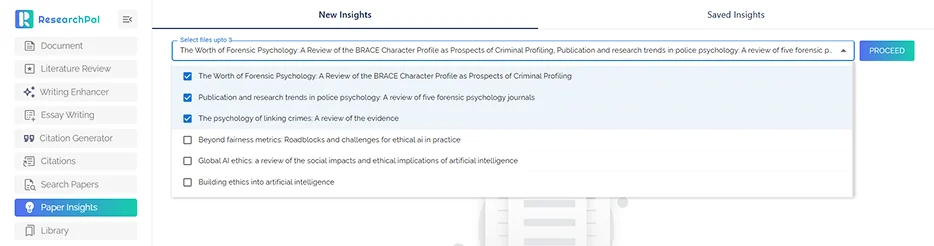
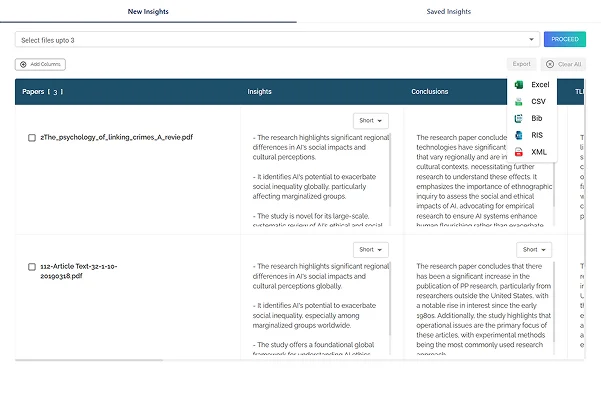
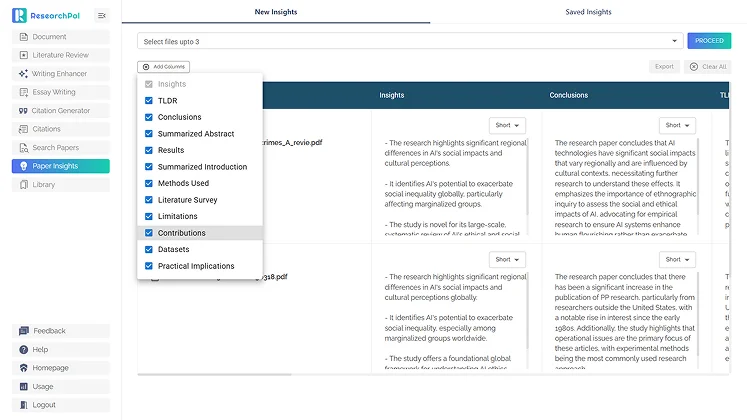
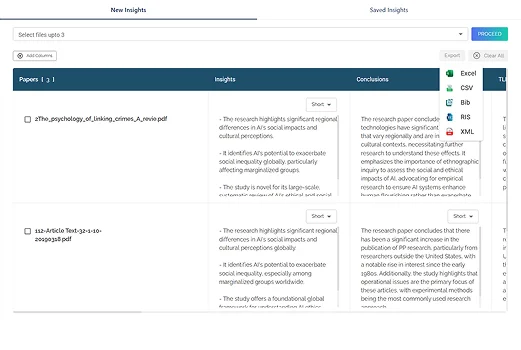
ResearchPal allows you to adjust the length of generated insights based on your needs:
This flexibility helps researchers balance speed and depth.
Export generated insights in multiple formats to use in your academic workflow, research reports, or collaboration tools. Export Formats:
This makes it easy to integrate insights into your research workflow.

Understanding a research paper quickly requires knowing which information matters. Abstracts, methods, findings, limitations, theoretical frameworks, and contributions can all play an important role depending on your research question.
ResearchPal's Paper Insights feature helps researchers extract structured information from papers and compare research more efficiently. The AI Research Assistant adds another layer by allowing you to investigate the insights through conversation.
Instead of stopping after reading a generated insight, you can ask additional questions and explore the research from the perspective of your own project.
You can use the Agent to:
This is particularly useful for students, researchers, thesis writers, and literature-review authors who need to screen and understand multiple sources efficiently.
ResearchPal connects Paper Insights with search, the Research Library, PDF Chat, citation management, and literature review workflows.
Explore the AI Research Assistant and turn individual paper insights into deeper research exploration.
Try the AI Research AssistantDiscover the rest of ResearchPal's AI-powered research and writing tools.
Literature Review
Generate structured literature reviews by simply entering your research topic or question. ResearchPal searches across millions of academic papers, synthesizes findings, and produces citation-backed content ready for your research workflow.

Generate Review
Search Papers
Discover relevant research papers using intelligent, domain-specific search across millions of academic sources. Save papers, explore citations and references, and build your research foundation faster.
Discover Papers
Connected Papers
Explore how research papers connect through citations, references, and shared topics using an interactive visual graph for deeper discovery. Navigate research relationships, uncover trends, and find relevant papers faster.
Explore Graph
Chat With PDF
Upload or import PDFs and interact with research papers using AI. Ask questions, extract insights, and explore content faster with context-aware responses.
Start Chatting
Analyze & Remix Within PDF Chat
Screenshot any figure or visual from your PDF and let ResearchPal analyze, explain, and redesign it into clean, high-quality visuals using AI. Turn research visuals into presentation-ready graphics in seconds.
Analyze Visuals
Citation Generator
Generate accurate academic citations using URLs, DOIs, titles, or identifiers. Convert citations into multiple formats and save them directly to your research workspace.
Generate Citations
Citation Management
Store, manage, and format all your citations in one place. Automatically save citations from essays, literature reviews, uploads, and citation generation.
Manage Citations
AI-Powered Editor Tools
Enhance your writing directly inside the document editor with context-aware AI tools designed for academic writing.
Enhance Writing
Paraphraser & Writing Enhancer
Improve your academic writing with AI-powered editing tools including paraphrasing, summarization, tone adjustment, and translation.
Refine Text
Research Library & Integrations
Upload, organize, and import research papers from multiple sources including Zotero and Mendeley. Access files, extract insights, and manage your research in one centralized library.
Organize Library
Essay Writing
Generate structured essays with headings, citations, and customizable formats. Define topic, essay type, and length to instantly create well-structured academic content.
Write Essay